 BusSing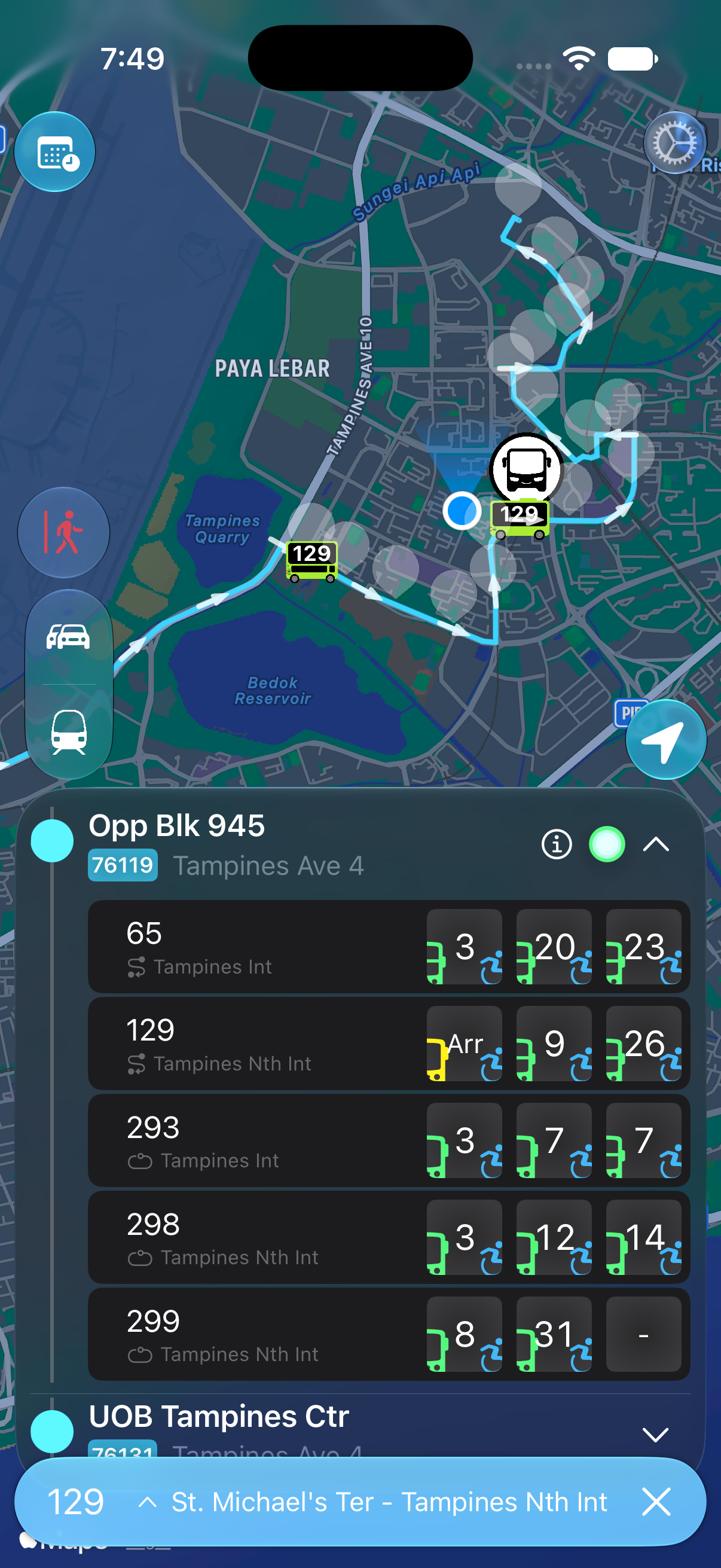

Match the stop code on the bus stop sign to the stop in your app, then check the bus destination and route order. A matching service number alone is not enough to confirm that you are travelling towards your destination.
Use the stop code to identify the stop
LTA lists bus stop codes and coordinates in its bus stop dataset. The code gives you a specific stop to check when nearby names look alike. Compare the code on the physical sign with the one shown in BusSing.
If you are planning before leaving home, check the map position as well. Think about which side of the road you can reach and where you will cross. The nearest marker is only useful if it serves the journey you want.
Check the destination and the order of stops
BusSing shows service destinations and lets you browse bus routes. Use the destination as an initial check, then find your boarding stop and intended alighting stop in the route list.
Your alighting stop should come after your boarding stop in the direction you will travel. If it does not, inspect the other direction or choose another service. Do this before looking at the countdown; a bus arriving soon is no help if it takes you away from your destination.
- Match the physical stop code with the selected stop in BusSing.
- Choose the service and read its destination.
- Check that your destination stop appears later in the route.
- Confirm the service and destination on the arriving bus before boarding.
Plan the return journey separately
Do not assume that the return stop is directly opposite the one where you got off. Open the return route and find a boarding stop that takes you towards home. Check the walking route to that stop while you still have time.
Save the stop once you have confirmed it. When revisiting a saved stop after a long break, check the current route again, especially if signs or road access have changed.
Keep the destination stop in view
After boarding, keep track of the remaining route. On an unfamiliar journey, checking a few stops early gives you time to get ready to alight.
You can also set a BusSing alight reminder for the destination stop. Check its permissions and keep watching the route as you approach. If the stop information and the app disagree, read any notices at the stop and check with the operator before relying on the saved route.
Sources: LTA DataMall: bus arrivals, routes and stop data · BusSing App Store description and release notes
Try it on your next commute.
Live Singapore bus arrivals, widgets and offline MRT maps. All in BusSing.