 BusSing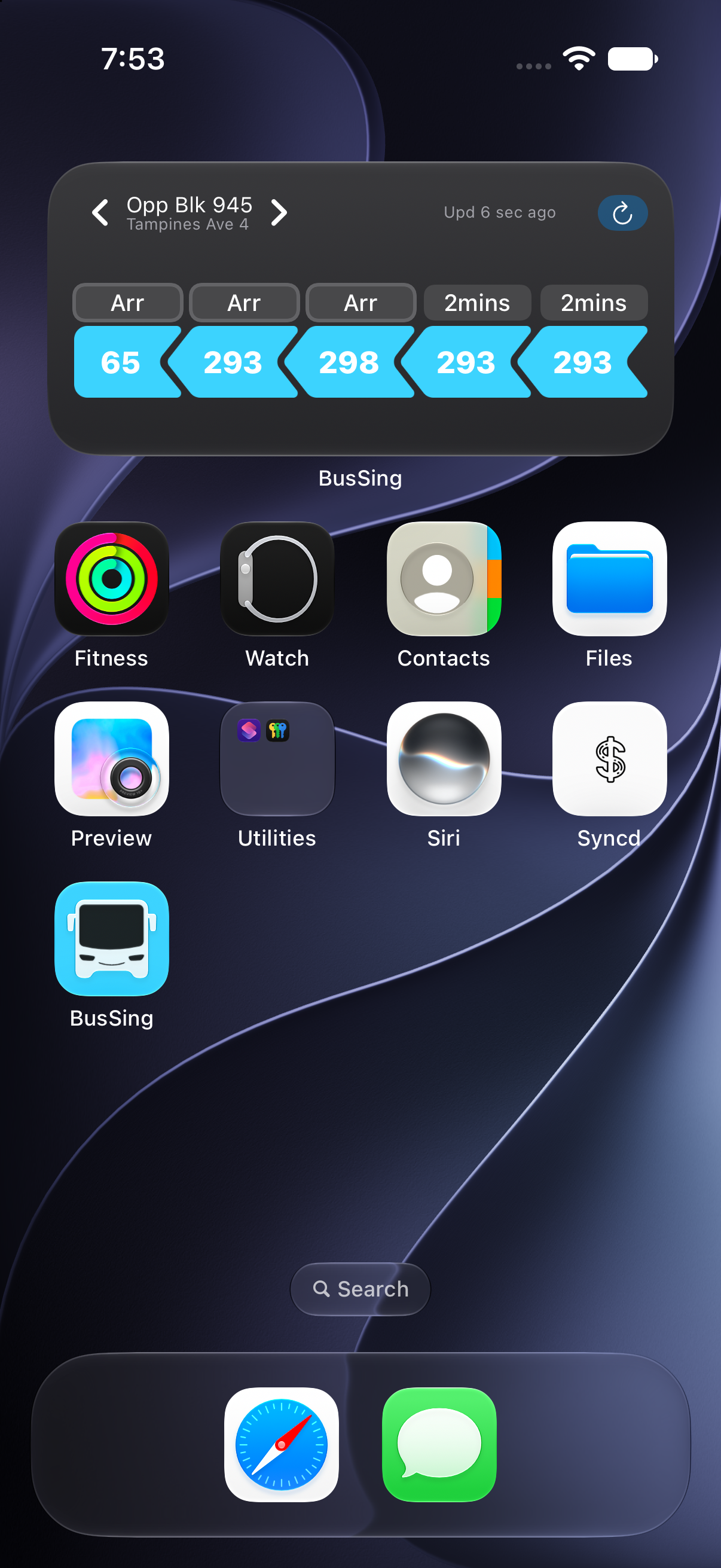

MyBus SG covers a familiar task: checking live arrivals for the services you use. Its pinned buses and Home Screen widgets are useful things to compare. I make BusSing, and I would look at how each app fits your daily check before moving your saved stops.
Written by the developer of BusSing. Sources and the basis for each comparison are named in the article. Features and prices can change. We have not measured arrival accuracy against the other app.
The MyBus SG compared here
This article is about MyBus SG by Daryl Edwin. There is a separate app called myBus SG LiveTrack, so check the developer if you are looking it up yourself.
The comparison uses the Singapore App Store listing and developer sources checked on 27 October 2026. It does not report a hands-on app test. It focuses on MyBus SG arrival data, widgets, pinned services and MRT information.
MyBus SG features and compatibility on the Singapore App Store
Live arrivals, pinned services and widgets
MyBus SG advertises nearby stops, favourites, Home Screen widgets and live arrival updates. Its release notes say favourite services can be pinned above the arrivals and on the Home Screen widget. If you only take a few services from a busy stop, that is a useful feature to check.
Live arrivals are the estimated timing data an app shows. A Live Activity is a way to keep selected arrivals on your Lock Screen and, on compatible iPhones, Dynamic Island. BusSing supports that view for one or several services. It also has standard widgets, including a timeline widget that can show favourite buses.
I would set up the services you actually take, then see which view you find easier to read. A countdown moving on screen does not establish that new bus data arrives every second. iOS manages widget refreshes, including for BusSing.
MyBus SG features and compatibility on the Singapore App Store
BusSing on the Singapore App Store
BusSing Live Activities for one or several services

Live MRT status and offline MRT routes answer different questions
MyBus SG advertises live MRT service status and an interactive MRT map. Those are useful features to inspect if you want to check the rail network as well as your next bus.
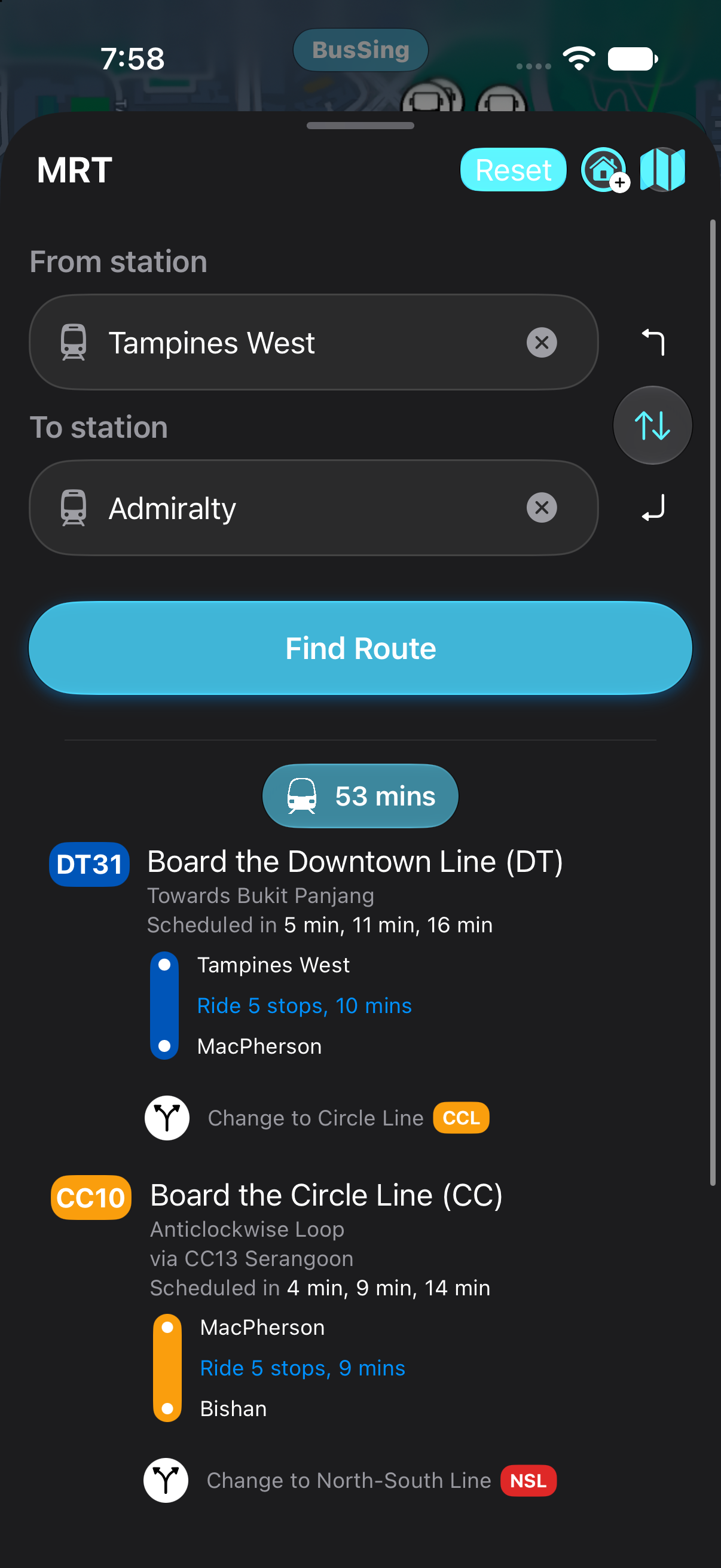
BusSing has an offline MRT route planner. You can calculate a rail route without a connection, but it does not include live disruption information. It answers how to travel between stations without establishing whether the line is running normally right now.
BusSing also has separate online point-to-point directions that combine walking, buses and MRT, plus alight reminders and Apple Watch timings. Combined directions and live bus arrivals need internet. Watch support requires watchOS 11 or later.
MyBus SG features and compatibility on the Singapore App Store
Offline MRT planning in BusSing
BusSing walking, bus and MRT directions
What free means in this comparison
MyBus SG is listed as free to download. No in-app purchase prices appeared in the Singapore listing checked for this article. Its privacy policy says the app may display Google AdMob advertisements.
BusSing has no ads in its free app. Bus arrivals, standard widgets, alight reminders and offline MRT planning are available without Express. BusSing Live Activities have a free limit; Express adds unlimited Live Activities and location-aware widgets. Check the app for your allowance and regional price.
MyBus SG publishes advertising and other data-processing disclosures. BusSing also processes information to run features, analytics and operations, without selling personal data or using third-party advertising. Read the policies for the features you intend to use.
MyBus SG privacy policy and advertising disclosures
The phone you have may settle it
MyBus SG lists iOS and iPadOS 15 or later. BusSing needs iOS or iPadOS 18. If your device cannot run BusSing, MyBus SG is the option in this pair with the lower listed requirement.
On a supported device, I would try BusSing if you want its ad-free free features, Apple Watch app or offline rail routing. MyBus SG deserves a look if its pinned services and advertised MRT status suit your routine. Keep the setup that makes your own commute easier to check.
Neither this article nor a store description establishes an arrival-accuracy winner. BusSing uses LTA estimates, which can change or be unavailable. The MyBus SG sources checked do not name an arrival-data provider. We have not run a controlled comparison of the predictions.
MyBus SG features and compatibility on the Singapore App Store
Sources: BusSing on the Singapore App Store · MyBus SG features and compatibility on the Singapore App Store · MyBus SG developer website · MyBus SG privacy policy and advertising disclosures
Try it on your next commute.
Live Singapore bus arrivals, widgets and offline MRT maps. All in BusSing.