 BusSing
Save the stops where you board on the way to work and on the way home. Give each direction a place in your favourites, then set a widget to the stop you check most. The useful favourite is the boarding stop for your next journey, which may be different from the stop where you last got off.
Save the boarding stop for each direction
Find the stop near home that serves your outward journey. Confirm its code, service destination and route before saving it. Then find the stop near work where you will board for the return journey. Do not assume it is directly opposite the stop where you arrive.
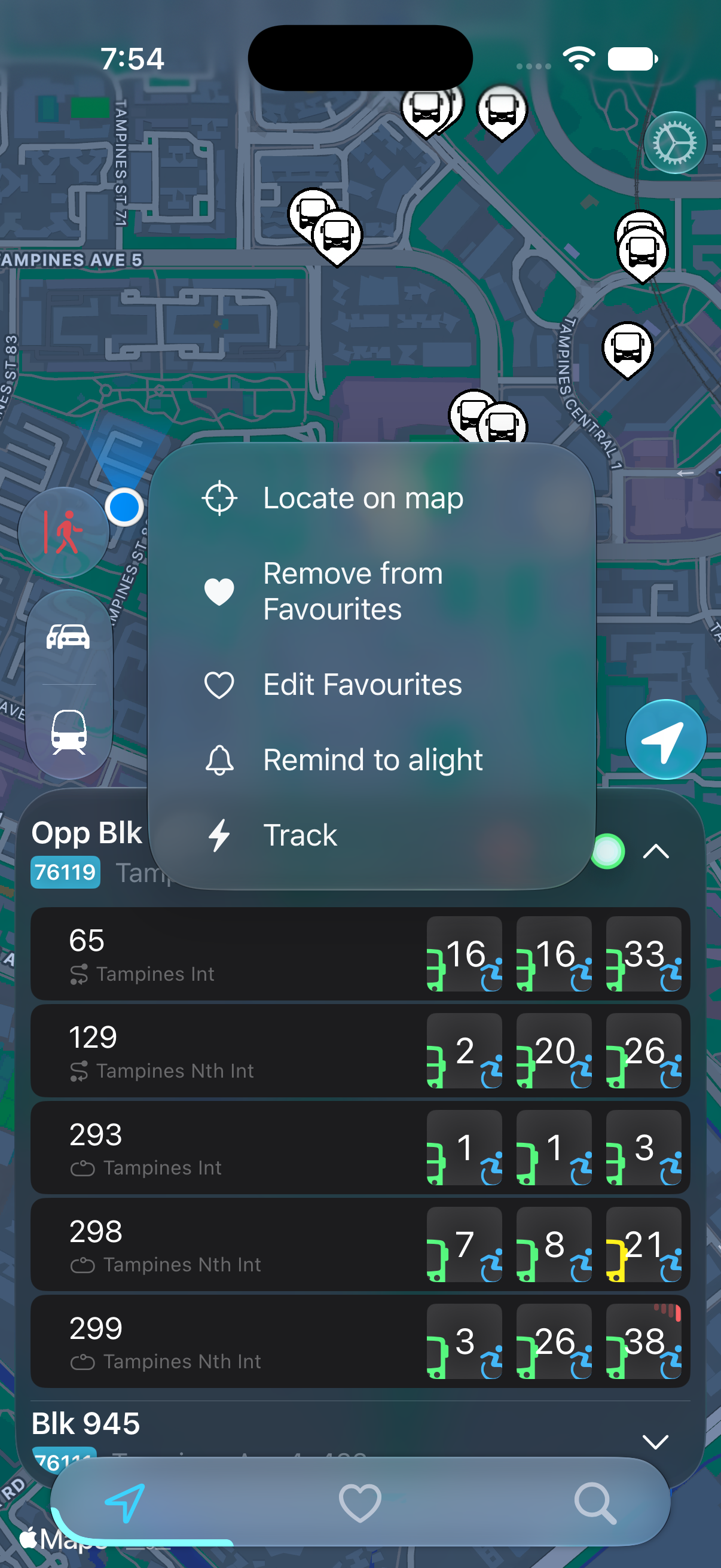
BusSing supports saved favourite stops and route browsing. Use the stop's favourites control to save it, then open the heart tab to check your saved stops. A saved stop's menu has Edit Favourites and Remove from Favourites options.
- Find your outward boarding stop and confirm its code and direction.
- Save it using the stop's favourites control.
- Find and save the boarding stop for your return journey.
- Open your favourites and check that both stops serve the intended routes.
BusSing App Store features and release notes
How to confirm a bus stop and direction
Organise stops around the journey you take
The BusSing favourites view has Outwards and Towards tabs. Use them to keep the stops for leaving home separate from the stops you use when coming back. Review the stop's Edit Favourites options when you need to change its setup.
Start with the commute you make most often. Add an alternative stop only if you would use it, such as a second boarding point for another route to work. A short list is easier to check when you are already late. Save occasional destinations when they become part of your routine.
Choose a fixed stop for your widget
For a widget you check before leaving home, choose your outward boarding stop. A separate widget can show the stop for the trip home. Give each a quick test by comparing its stop code with the same stop inside BusSing.
The Favourite BusStops widget configuration has Select Bus Stop and Use Nearest Favourite controls. Choose a fixed stop if you want that widget to keep showing the same boarding point. Confirm the selection after adding or editing it.
- Add a configurable BusSing widget to your iPhone Home Screen.
- Touch and hold it, then open Edit Widget.
- Keep Use Nearest Favourite off for a fixed-stop setup.
- Choose Select Bus Stop and select the boarding stop you want.
- Return to the Home Screen and check the displayed stop.
Apple: add and edit widgets on iPhone
Add and configure BusSing widgets

Use nearest-favourite selection when it suits you
If you prefer a widget that selects a nearby favourite, check the location-aware widget options and Express access in BusSing. Standard widgets are available without Express; location-aware widgets are an Express feature.
A nearby stop may serve the wrong direction for your next trip. Always read the selected stop before using its countdown. If two saved stops are close together, a fixed-stop widget may be easier to interpret. Check the requested location permissions when setting up a location-aware option.
Review favourites when your routine changes
After changing jobs, moving home or switching routes, check the old favourites before relying on them. Remove stops you no longer use and confirm the route at any new boarding point. Recheck your widget selections too.
If a widget shows the wrong stop or stale arrivals, compare it with BusSing before rebuilding your whole list. The stop selection and the arrival update are separate things to check. Once both directions are set up, you can check the next ride without searching for the stop every morning.
Sources: BusSing App Store features and release notes · Apple: add and edit widgets on iPhone
Try it on your next commute.
Live Singapore bus arrivals, widgets and offline MRT maps. All in BusSing.